+44 782 583 7455

Canon PGI-580 and CLI-581: two blacks and Photo Blue
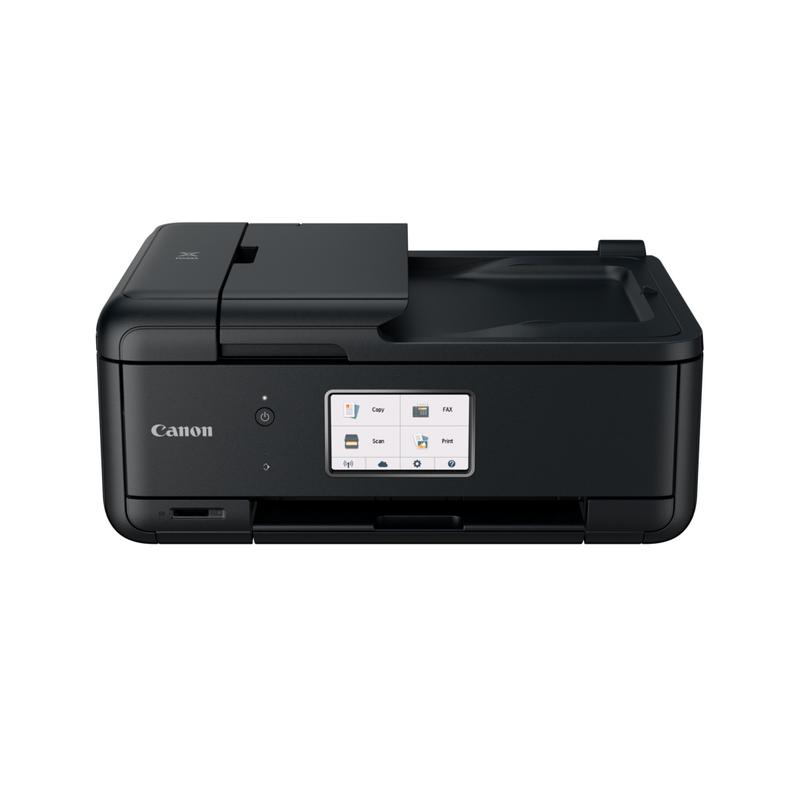
Find current ink for your printer: Canon PIXMA TR8550 · Canon PIXMA TS8350.
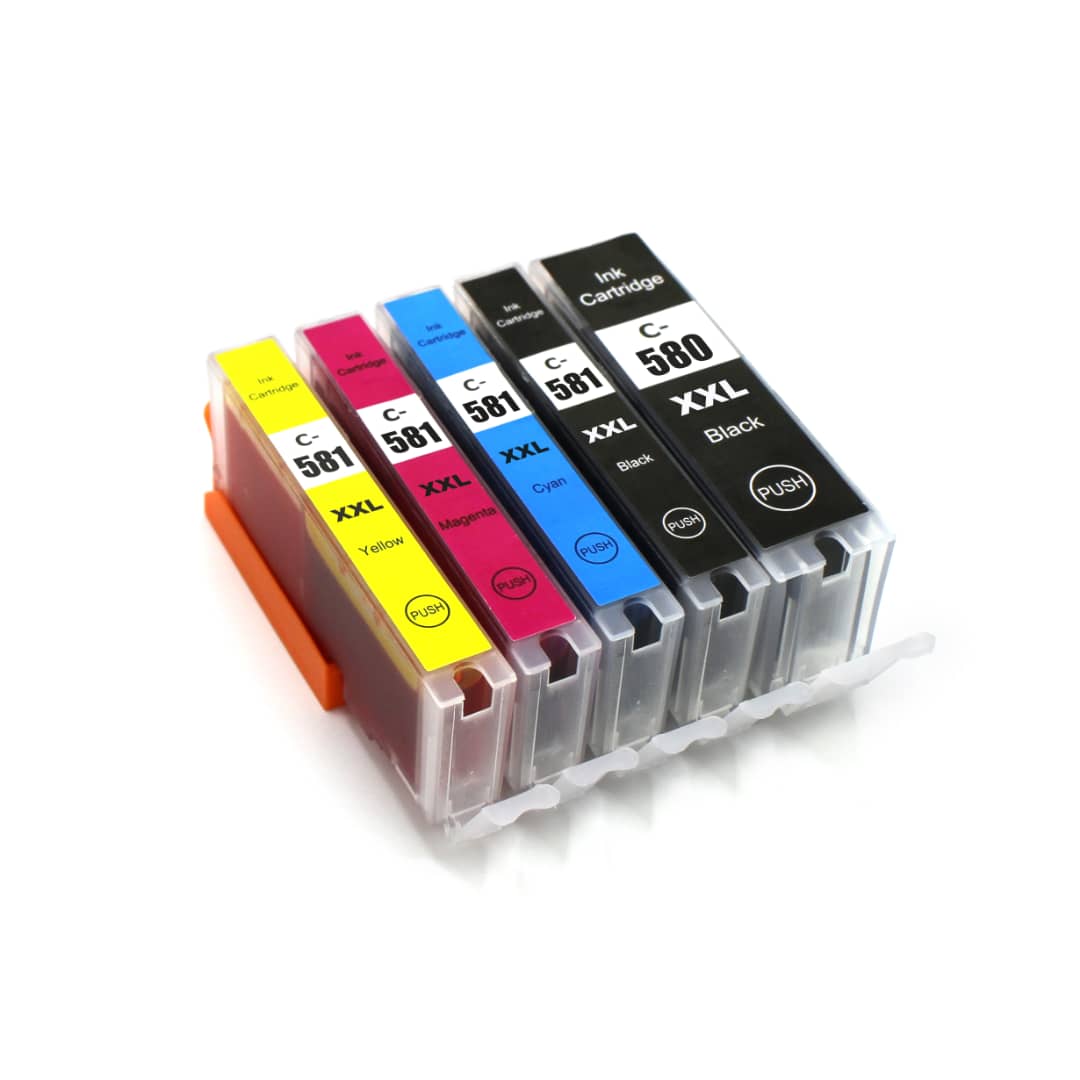
Choose your Canon PGI-580 / CLI-581 pack
Match the cartridge codes and colours you need, then compare the pack contents.
Five-cartridge pack
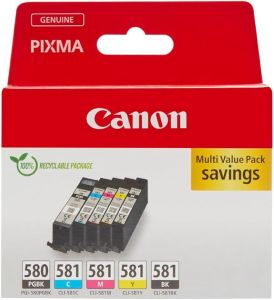
1 PGI-580 black, 1 CLI-581 black, 1 cyan, 1 magenta and 1 yellow. Photo Blue is not included.
Compare 5-packFive-cartridge pack + 3 black
8 cartridges: 4 PGI-580 black, 1 CLI-581 black, 1 cyan, 1 magenta and 1 yellow. No Photo Blue.
Compare 8-packPGI-580 black only
1 cartridge for the PGI-580 PGBK position. This is different from CLI-581 black.
View PGI-580 blackCLI-581 black only
1 cartridge for the CLI-581 BK position. This is different from PGI-580 black and Photo Blue.
View CLI-581 blackWhy are there two black cartridges?
The PGI-580 cartridge belongs to the printer’s pigment-black position. CLI-581 BK identifies the separate black cartridge in the CLI family. Match the complete code on the old cartridge and the replacement listing; do not select either solely because it is black.
The different prefixes matter as much as the 580 and 581 numbers. Buying another CLI-581 black is not the same as buying a PGI-580 replacement. Check the user guide’s cartridge diagram if the positions are unclear.
Check the exact colours in a five-cartridge pack
The linked PGI-580/CLI-581XXL1ST pack contains five compatible cartridges: PGI black, CLI black, cyan, magenta and yellow. Compare that list with the cartridge positions in your exact printer before deciding that it is a complete refill.
The TS8350 also lists CLI-581 Photo Blue in Canon’s consumables reference. A five-cartridge CMYK-and-black pack does not include that extra Photo Blue position unless the listing explicitly says so. Check the colour list instead of relying on the phrase “full set”.
Standard, XL and XXL do not change the family match
Capacity labels identify options within the appropriate cartridge family. Establish the full cartridge code and your printer model first, then compare the capacity and quantity of the compatible products available for those positions.
A price for ten cartridges may represent two five-cartridge packs; it does not automatically mean that the bundle includes every colour used by a six-slot printer. Read the number of each cartridge type and consider the ink levels in the printer.
A simple check before you buy
- Write down the full printer model.
- Identify whether the empty position is PGI black, CLI black, cyan, magenta, yellow or an additional colour.
- Read the exact cartridge codes and quantities on the pack page.
- Check whether the pack includes any extra colour your printer uses.
If the missing cartridge is not listed in the pack, choose a suitable individual option or ask us to check availability. Follow the printer’s replacement instructions and contact us with the exact error message if installation does not succeed.
Find compatible ink at Ink-Prints
Browse compatible Canon PGI-580 / CLI-581 ink.
View the compatible Canon 580/581 five-cartridge pack
The linked products are compatible replacements supplied by Ink-Prints. Open the product page to check its exact contents, current price and stock before ordering. If the model or cartridge code does not match, ask us to check it.
Compatibility references: Canon 580/581 multipack compatibility · Canon TS8350 consumables and Photo Blue. These manufacturer references identify the cartridge family; manufacturer yields are not a promise of replacement-ink performance.
-
 Compatible Canon PGI-580/CLI-581XXL Ink Cartridges - 5 Pack, 1 Full SetSpecial Price £10.44 Regular Price £14.99