
Compatible Ink-Prints
Compatible Epson 502XL Ink Cartridges - 4 Pack, 1 Full Set for XP-5100 WF-2860DWF
£12.49
In stock
Choose compatible
 +44 782 583 7455
Find ink by printer / Epson WF-2880DWF
Your printer uses 502XL ink cartridges. Choose a multipack or just the colours you need.
Check the complete model number on your printer before ordering.
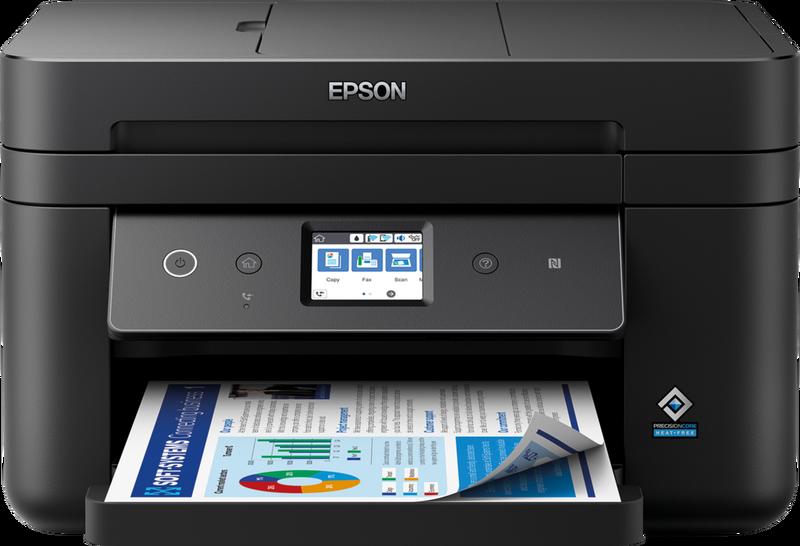

The Epson WorkForce WF-2880DWF is an inkjet multifunction printer for documents, with print, scan, copy and fax functions. It uses the 502XL ink family. Compare individual colours and multipacks below, with current prices and availability.
Browse all 502XL compatible ink.
Choose a single colour, a compatible colour set or a larger bundle. Open a pack to check its exact contents.
Verified matches for this printer, with live shop prices. Savings are shown only for the same contents and yield class when both options are in stock.
Save £68.61 (85%) with the compatible pack versus the genuine option.
In stock
View pack & buy
In stock
View pack & buy
In stock
View pack & buy
In stock
View pack & buy
In stock
View pack & buy
In stock
View pack & buy
In stock
View pack & buy
In stock
View pack & buy
In stock
View pack & buy
In stock
View pack & buy
In stock
View pack & buy
In stock
View pack & buy
In stock
View pack & buy
In stock
View pack & buy
In stock
View pack & buy
In stock
View pack & buy
In stock
View pack & buy
In stock
View pack & buy
In stock
View pack & buy
In stock
View pack & buy
In stock
View pack & buy
In stock
View pack & buy
In stock
View pack & buyCartridge not recognised? Follow our troubleshooting guide
Missing a colour or printing gaps? Check the test pattern and next steps
Choose the 502XL family listed here. Check your full printer model and the product contents before ordering: printers with similar names can use different ink.
Ink sets vary by family and pack size. Check the product page for the exact colours included. Choose an individual colour if that is all you need. Multipacks may contain extra black cartridges or several sets; check each product page for its exact contents.
Use the cartridge-replacement procedure in your printer's user guide. Match the colour and cartridge family, remove only the packaging and seals specified in the supplied instructions, and fit each cartridge in its correct position without forcing it.
Check the full printer model, cartridge family and installation instructions. If the printer still reports an error, contact us with your order number and the exact message on the screen so we can help identify the problem.
Check the ink level and use the nozzle-check procedure in your printer's user guide. Follow the recommended cleaning steps if the pattern has missing lines. If the problem remains, contact us with your model number and a photo of the nozzle-check pattern.
Need help choosing? Contact Ink-Prints. Free UK delivery on orders £5.99 and over.
Ink-family reference: Epson official compatibility information. Checked 12 October 2026. Printer names identify compatibility; the replacement inks shown are supplied by Ink-Prints.