+44 782 583 7455
Choose Brother LC426 or LC426XL only after confirming your exact printer is listed for that family. The difference between standard and XL is a capacity choice within the range; it is not permission to substitute LC422 or another LC number.
In this guide
Check the entire model suffixChoose the capacity for each colourCompare the right quantitiesUnderstand the evidence behind valueInstallation and supportQuestions before purchaseCheck the right rangeThe next useful question is whether you need a single colour, one complete set or additional black. A larger bundle can be convenient, but only when its allocation matches the way you print.
Check the entire model suffix
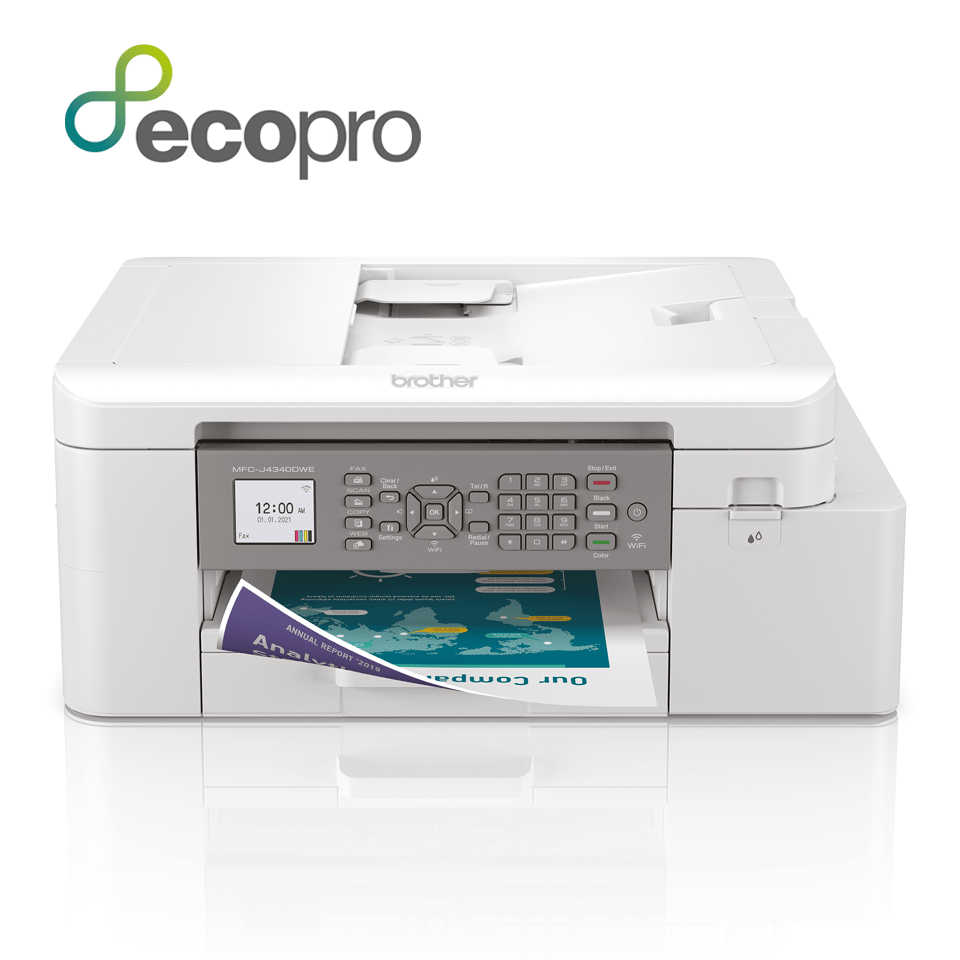
Brother model names can contain similar numbers and additional letters. Read the full code on the machine rather than selecting from a partial MFC-J search. Our MFC-J4340DW page is a model-specific example; a different machine needs its own confirmation.
Printer-bundle labels and cartridge-capacity labels should not be confused. Letters such as XL appearing in a printer offer do not, by themselves, prove which replacement cartridge you should buy.
If the machine was supplied under a subscription arrangement or imported from another market, establish that context before opening ordinary UK retail supplies. A retailer's broad compatibility heading cannot settle every account or regional condition.
Choose the capacity for each colour
| Question | What to record |
|---|---|
| What is running low? | The colour requested by the display |
| What is already spare? | Unopened BK, C, M and Y quantities |
| How often do you print? | A realistic pattern rather than an intended one |
| Are you comparing original or compatible? | Use that product's own specification |
| Is the whole pack XL? | Read every listed cartridge |
For regular printing, higher capacity is worth comparing against standard. For occasional use or a printer approaching replacement, a smaller initial purchase may be more appropriate. Do not assume bigger means better without considering likely use.
Compare the right quantities
A four-colour set should identify black, cyan, magenta and yellow separately. One set plus black is an uneven bundle, not two complete sets. Two complete sets should repeat all required colours.
If black runs down faster, additional black may suit you better than repeated sets. If colour printing is frequent, make sure a black-heavy bargain will not leave you short of cyan, magenta or yellow.
Compare an original offer and a compatible offer only after matching their contents. The word multipack does not establish equal capacity, equal cartridge count or equal test conditions.
Understand the evidence behind value
A useful cost-per-page estimate uses delivered price and a comparable declared yield for the exact product. Manufacturer-original ratings do not verify compatible output, while a stated ink volume does not directly establish a page count.
If a supplier does not provide reliable comparable yields, avoid a precise savings claim. You can still compare purchase price for identical contents and decide whether the quantity suits you.
Keep the black calculation separate from colour. Adding several cartridge yields together and calling the result the number of complete colour pages a set prints can be misleading because the channels are used together in different proportions.
Installation and support
Use the correct model's replacement guidance and the preparation instructions for the supplied cartridge. Do not remove arbitrary labels, touch detection surfaces or copy a shaking instruction from another brand.
If a compatible cartridge is being considered, check current exact-model advice rather than assuming support for every firmware version. The supplier should know the complete model and relevant error before recommending a replacement.
If recognition fails, retain the packaging, record the affected colour and photograph the message. Do not start by repeatedly cleaning the print head, modifying a chip or installing unofficial firmware. Recognition and poor output are different diagnostic paths.
Questions before purchase
Can I use LC422XL instead if it is cheaper?
No. Compare the correct family with the correct family. Our LC422XL/LC426XL guide explains that distinction.
Does a set include extra black automatically?
Only if it is stated. Read the allocation of every offer.
Should I replace all colours to make them XL?
Do not discard usable supplies simply to match a label. Follow the printer's replacement guidance and supported product advice.
Will compatible and original page counts be identical?
That requires product-specific evidence. Do not treat a shared replacement number as a test result.
Check the right range
Compare the labelled pack contents and current availability in our Brother LC426 / LC426XL range. Match your exact printer before ordering; ask us if the model or cartridge code is unclear.