+44 782 583 7455
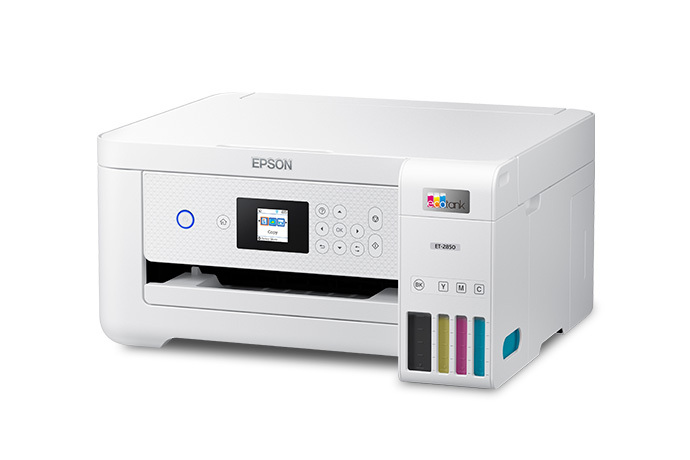
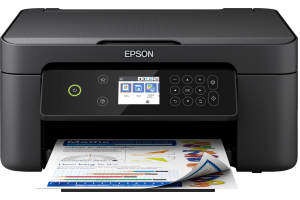
Epson EcoTank ET-2850 - manufacturer model image. Check your exact printer before choosing ink. View this printer.
To reduce problems when an inkjet is used occasionally, follow the printer's shutdown and maintenance guidance, store spare ink correctly and check output before an important job. Do not run head cleaning on a fixed daily schedule just because the printer has been idle.
In this guide
Shut down the supported wayMake occasional printing predictableKeep spare ink in suitable conditionsUse maintenance as a response, not a ritualMatch supplies to the printerBefore an important printNo routine can promise that ink will never dry or that every cartridge will remain usable indefinitely. The aim is to avoid preventable handling and storage problems without consuming ink unnecessarily.
Shut down the supported way
Use the printer's power control and allow its normal process to finish before disconnecting power where permitted. Do not interrupt moving parts or charging because the screen appears quiet for a moment.
Different printers have different standby and automatic-maintenance requirements. Follow the exact manual rather than assuming every machine should be unplugged after every session or permanently left switched on.
Keep cartridges installed unless the manual calls for their removal. A repeated all-cartridge removal or supposed memory-cache reset is not a maintenance habit for an otherwise working printer.
Make occasional printing predictable
If you know an important form or photo job is coming, check the printer beforehand rather than at the last moment. Start with a small representative print or the supported quality check if output needs investigation.
| Situation | Sensible response |
|---|---|
| Output is normal | Use the printer; no fault-driven cleaning needed |
| A channel is missing | Follow the model's diagnostic route |
| Cartridge not recognised | Recognition checks, not head cleaning |
| Printer returning after a long idle period | Inspect status and use the documented checks |
| A maintenance warning appears | Follow that warning rather than bypassing it |
There is no universal number of days between required prints for every inkjet. Avoid turning a general habit into a guarantee or wasting pages to satisfy an invented schedule.
Keep spare ink in suitable conditions
Store unopened cartridges in their original packaging under the stated conditions, away from unsuitable heat, direct sun and damage. Check the manufacturer's or supplier's dates and instructions for the actual product.
For opened bottles, keep the cap secure and the label intact, and observe the stated use-after-opening advice. Do not decant ink into an unlabelled container or assume that a sealed bottle and an installed cartridge share the same shelf life.
Buy quantities that suit your realistic use. A large bundle may lower an advertised unit price while leaving several colours unused for a long time. Check existing spares before replenishing a set.
Use maintenance as a response, not a ritual
If output is poor, use the correct nozzle or quality check to identify the symptom. Follow the printer's supported cleaning route only where indicated and compare the next pattern with the first.
Respect the model's cycle limits and waiting periods. Instructions vary: a rule from one Epson model cannot safely become the universal rule for every Brother, Canon, HP or EcoTank.
Do not soak fixed heads, force cleaning fluid into the printer or use household solvents based on generic internet advice. A printer that has not improved after supported maintenance needs a reassessment, not endless repetition.
Match supplies to the printer
Correct storage cannot make the wrong ink family suitable. Use Find Ink to check the exact model before ordering, especially for an imported or second-hand machine.
If a compatible cartridge is being considered, check current exact-model support and its own storage specification. Original cartridge guidance does not prove the performance or shelf life of another supplier's product.
If the printer has a subscription or HP+ arrangement, establish those conditions before changing cartridge type. Storage habits do not override account or product compatibility requirements.
Before an important print
Check that the intended paper is available, the correct printer is selected and the replacement supply is suitable if one is needed. Print a small sample with the settings for that paper rather than discovering a colour problem halfway through a large job.
If a fault persists, save the diagnostic pattern and explain the unused period, supplies and recent changes when seeking help. That history is more useful than saying the printer must have dried out.
Should I clean the head after every use?
Not as a universal rule. Use the model's guidance and actual symptoms rather than a fixed cleaning habit.
Does XL ink dry faster than standard?
Do not assume that from the capacity label. Storage and product-specific evidence matter.
Can I keep spare cartridges forever?
No universal indefinite shelf life is established. Read the dates and storage conditions for the actual product.
Will printing a page always prevent clogging?
No guarantee follows from one page. Follow the manufacturer's maintenance advice and assess real output.